Is this school management software for principals?
No. It supports classroom teacher workflows. Principals, headteachers and school leaders can evaluate it as a teaching tool.
Teachers Little Helper
School leaders evaluating educational software need to understand how it supports everyday teaching. Teachers Little Helper brings student work, assessment records and feedback into a teacher’s desktop workspace alongside the school’s existing platforms.
Download for Windows, Mac or Linux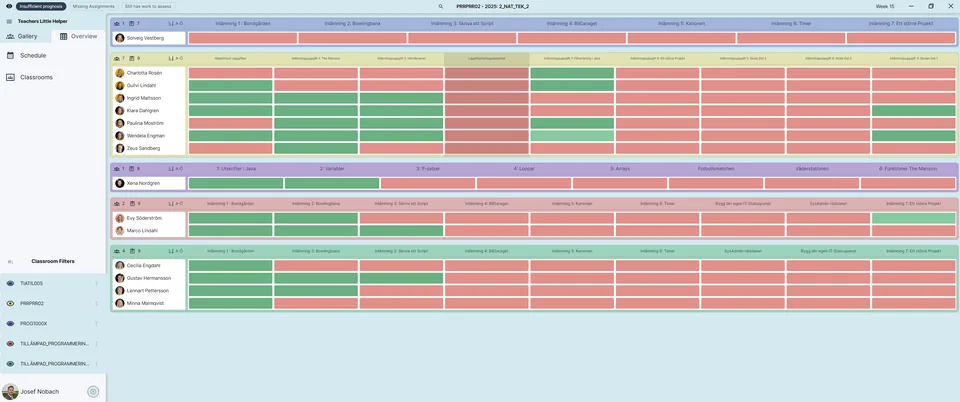
Teachers can organise student assignments, assessment evidence, notes and learning goals in a desktop app. Teaching teams can evaluate how this approach fits their lessons and feedback practices.
Google Classroom, Studybee and SchoolSoft provide different integration features. Accounts and access permissions determine what each teacher can use. This is a teacher productivity tool, not a principal dashboard or a complete school management system.
Data can be stored locally and selected information can be synchronised between authorised devices. Before adoption, review the data involved, integration access and your school’s student-data procedures. Do not assume the software automatically meets all institutional requirements.
Start with a workflow teachers can try, such as reviewing a submission and giving feedback.
Check account access and installation. Try fictional student work under school procedures. Note what is saved locally, what synchronises and whether published feedback can be verified.
Record prerequisites, problems and teacher observations. Time the same task to evaluate savings; the app has no verified general savings percentage.
No. It supports classroom teacher workflows. Principals, headteachers and school leaders can evaluate it as a teaching tool.
Google Classroom workflows may be relevant to teachers internationally. Availability depends on school accounts, services and permissions. SchoolSoft features require SchoolSoft.
Windows, macOS and Linux. Your school should also check its installation and access requirements.