Do I need SchoolSoft?
Yes, this attendance workflow requires SchoolSoft and permission to access the lesson.
Teachers Little Helper
Keep your lesson timetable and attendance workflow close to your student overview. Teachers Little Helper helps teachers using SchoolSoft find the right lesson and record attendance in the same desktop app used for everyday classroom work.
Download for Windows, Mac or Linux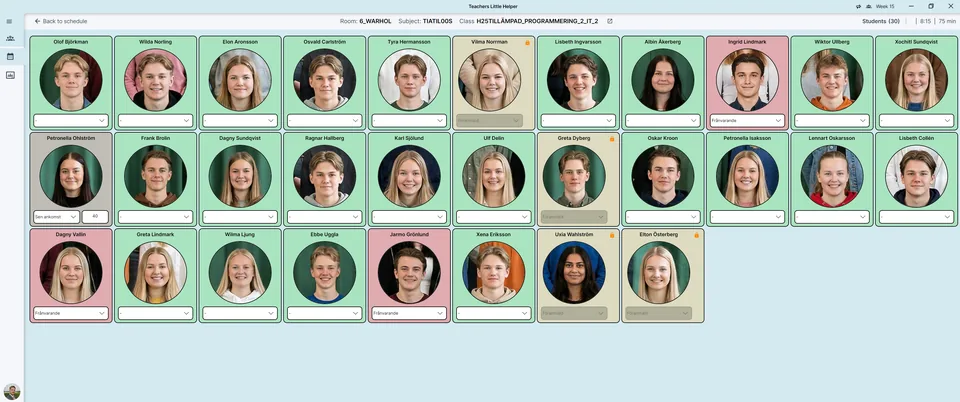
Use the schedule view to see your SchoolSoft lessons and weekly timetable. Find the relevant class before reviewing the students and their attendance.
Record student attendance and send updates to SchoolSoft. Check the class, date and lesson before submitting, and follow your school’s attendance procedures.
This integration requires a SchoolSoft account with access to the relevant lessons. It is a SchoolSoft-specific feature, not a replacement for other student information systems. Signing in, fetching the timetable and sending attendance updates require connectivity.
Yes, this attendance workflow requires SchoolSoft and permission to access the lesson.
No. Each service requires its own account and permissions.
Sending attendance to SchoolSoft requires internet access. Confirm the update before treating it as published.